


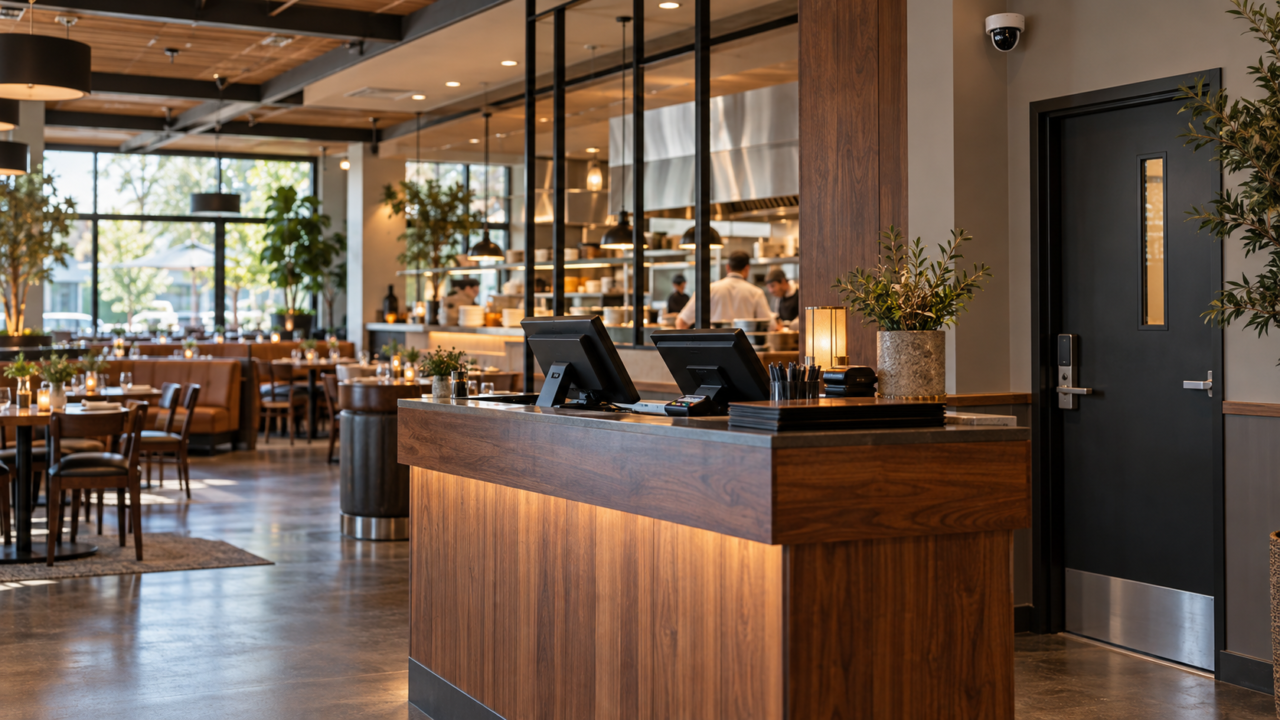
A restaurant security system should protect the areas where staff handle payments, receive deliveries, store inventory and close for the night. Cameras, access control and monitoring can help owners investigate incidents, manage access and respond to problems after hours.
Restaurants face both security risks and everyday operational problems. A well-planned system can help document incidents, resolve transaction questions and identify equipment issues before they disrupt service. This guide explains what to consider when planning restaurant security systems in New Jersey, New York and Pennsylvania. For the service overview, see our restaurant security page.
Plan Around Your Restaurant Layout
Start by walking through your restaurant during deliveries, service and closing. Identify entrances, payment stations, storage areas and places where staff work alone. A small cafe, a busy bar and a restaurant with outdoor seating will each need a different coverage plan.
Security Camera Coverage at the Register
A camera near the point of sale should provide a clear view of cash handling and customer interactions. Position it to support transaction reviews while avoiding the capture of payment card details, PIN entry or other sensitive information.
With a compatible POS integration, transaction data can be linked to recorded video. Depending on the platform, you may be able to search for events such as:
- Voids and no sales that need to be checked against the original transaction.
- Comps and manager discounts applied to a full table, especially outside the manager’s shift.
- Sweethearting, meaning unauthorized discounts or unrecorded items given to friends.
- Refunds and reopened checks on a closed shift.
- Cash drawer opens with no corresponding sale.
An unusual transaction does not automatically indicate theft. It may reflect a training issue, an entry error or an unclear policy. Reviewing the video alongside the transaction gives managers more context before drawing conclusions.
Back Door Access Control and Inventory Protection
Receiving doors and storage areas need the same attention as the front entrance. Consider these measures to manage deliveries and limit unauthorized access:
- A credential instead of a key on the back door. Staff changes can make physical keys difficult to track. A keyless credential is switched off in seconds and tells you who opened the door and when.
- A door held open alert on the receiving door. This can notify staff when the door remains open beyond a set time.
- Camera coverage inside the receiving door, aimed to show what comes in and what goes out, not just that the door moved.
- Separate the office and the liquor room from general stock access. Not everyone who needs dry goods needs the safe or the spirits.
- Protect the recorder. An exposed recorder may be damaged or removed during a burglary. Lock it up, put it on battery backup, and keep a cloud copy of the key cameras.
The bar deserves its own mention. Liquor shrink is its own discipline, and the practical security contribution is a camera with a clear view of the pour and the register, plus controlled access to the stock room. The rest is inventory process.
| Review Your Restaurant Security Coverage Review camera placement, access points and monitoring needs with SEH Security. SEH Security works with independent restaurants across NJ, NY and PA. Call 732-506-2260 or book a free walkthrough. |
Walk In Cooler and Freezer Temperature Monitoring
Temperature monitoring can help staff respond to refrigeration problems outside normal operating hours. A temperature sensor in the walk-in cooler and freezer, tied into the same monitored system as your alarm, sends somebody a notification when the temperature drifts out of range.
A compressor that fails on a Friday night is discovered Saturday morning, and the loss is the entire contents plus a day of service. Some systems also provide temperature logs. Confirm their capabilities and any applicable food safety recordkeeping requirements before relying on them. Ask whether your monitoring plan can handle environmental signals, and what the notification path is at 3 a.m., because a sensor that only lights a panel in the office is not doing the job.
Coordinate Fire Alarms and Kitchen Hood Suppression
Commercial kitchen hood suppression is specialized equipment with its own inspection and maintenance requirements. Have the suppression contractor, fire alarm contractor and local fire official confirm the required alarm signals, monitoring connections and equipment shutdown sequence for your installation. These connections should be documented and tested as part of the approved system.
That interface is a code matter and it gets inspected. If you are renovating, changing a hood, or taking over a space, confirm the interface is in place and tested rather than assumed. Our commercial fire alarm systems page covers that work, and our guide to fire alarm inspection requirements covers the ongoing testing side.
Protect Staff During Closing
Closing can involve cash handling, reduced staffing and employees leaving after dark. Include these situations in your security plan:
- A hold up button behind the bar and at the host stand. Silent, and no reaching for a phone. Pair it with a procedure staff have actually rehearsed.
- A drop safe, used on a schedule. Regular deposits reduce accessible cash. Camera coverage can help document the process.
- Exterior lighting and a camera on the staff exit and the lot. Closing staff leaving alone at 1 a.m. is the scenario to design for.
- A closing checklist tied to the alarm. If the system is not armed, somebody should know. Many systems can report a missed closing.
For sites where it is worth having a person watching rather than a signal, remote video monitoring puts an operator on your cameras after close, with the ability to speak through a speaker. Our guide to what commercial alarm monitoring actually buys you covers verified response and why it matters for false alarm fines.
Use Security Footage to Document Incidents
Clear footage can help document a reported slip, fall or service dispute. It provides a record of conditions and events that may assist your insurer when reviewing a claim.
Cover entrances, restroom corridors, steps, changes in floor level and outdoor seating areas. Set recording retention with input from your insurer and legal adviser, taking storage capacity and privacy obligations into account. When an incident is reported, preserve the relevant footage promptly and confirm that staff know how to export it before routine recording overwrites it.
Patio, Drive-Thru and the Edges of the Property
Outdoor seating adds a coverage problem that indoor focused systems miss: furniture and heaters that disappear overnight, service disputes, and a boundary where your property stops being yours. Camera placement should account for entrances, seating areas, lighting and blind spots while limiting unnecessary views of neighboring property.
If you run a drive-thru, the order point and the pickup window each want their own view, framed on the transaction rather than the vehicle, for exactly the same reason the register does. A plate view at the entrance lane is a separate camera with a different lens, which our license plate recognition page covers.
Plan a Restaurant Security System Around Daily Operations
Start with payment areas, receiving doors, inventory storage and staff safety. Review POS compatibility, after-hours alerts, fire alarm coordination and video retention before choosing equipment. The right design should fit how your restaurant operates and give staff a clear process for responding to alerts.
SEH Security designs and installs security systems for restaurants, bars and small businesses across New Jersey, New York and Pennsylvania. If you also run a retail operation, our guide to security systems for small shops covers that side.
Frequently Asked Questions
What security system does a restaurant need?
Common components include security cameras, access control, a monitored intrusion alarm and staff duress buttons. Depending on the restaurant, POS integration and cooler or freezer temperature alerts may also be useful. Select equipment based on the layout, operating hours and risks identified during a site assessment.
How many cameras does a restaurant need?
There is no single camera count that fits every restaurant. The count comes from the number of registers, the entrance, the bar, the receiving door, the kitchen line, the stock and liquor rooms, the restroom corridor (the corridor, never inside), the patio, and the staff exit and lot. Placement decides whether the footage is usable, so walk the space before fixing a number.
Can security cameras be linked to my POS system?
Yes, when the camera platform and POS system support a compatible integration. Transaction linked video lets you search by event type, so voids, no sales, comps, refunds and drawer opens each pull up the exact clip. Confirm the specific integration with your POS before buying, because not every camera platform works with every POS.
How long should a restaurant keep security footage?
Choose a retention period with your insurer and legal adviser based on your business needs, storage capacity and applicable obligations. Preserve footage related to a reported incident promptly so it is not lost when routine recordings are overwritten.
This article is general guidance. Fire suppression, hood interface, health department temperature logging and insurance retention requirements vary by jurisdiction and by carrier, and are enforced by your local authority having jurisdiction. Confirm specifics for your location with your code officials and your insurance agent.
| Discuss Your Restaurant Security Needs Contact SEH Security to discuss camera coverage, access control and monitoring for your restaurant. Call 732-506-2260 or request a free walkthrough. |

